
v0.6.0-beta.40 · Updated 18 October 2026
Software and content
The v0.6.0-beta.40 catalog pins Minecraft versions, loader builds and content changes for review before execution.
Nests and eggs
If you have used Pterodactyl, this will look familiar. When you create a server you pick a nest (the game), then an egg (the server software), then an exact version. Unlike Pterodactyl, eggs cannot be imported: every egg and version is reviewed, pinned by hash and shipped with Nodara. Only the versions in the table below exist; there is no 1.20.1, for example. Coming from Pterodactyl? See what carries over and what doesn't.
| Nest | Eggs | Add-ons |
|---|---|---|
| Minecraft: Java Edition | Vanilla, Paper, Purpur, Folia, Fabric, Quilt, Forge, NeoForge | Plugins (Paper, Purpur, Folia) or mods (Fabric, Quilt, Forge, NeoForge) |
| Minecraft proxies | Velocity | None |
| Minecraft: Bedrock Edition | Bedrock Dedicated Server | None |
| Minecraft | Java | Eggs |
|---|---|---|
| 1.16.5 | 8 | Vanilla, Paper, Purpur, Fabric |
| 1.20.4 | 17 | Vanilla, Paper, Purpur, Fabric, Forge, NeoForge |
| 1.21.1, 1.21.4, 1.21.11 | 21 | Vanilla, Paper, Purpur, Fabric, Forge, NeoForge; Folia 1.21.11; Quilt 1.21.4 |
| 26.3 | 25 | Vanilla, Paper, Purpur, Fabric |
Nodara picks the Java version from the Minecraft version; you never choose it separately. Folia runs only plugins that declare Folia support, so its Plugins tab lists Modrinth plugins tagged for Folia. Quilt installs Quilt and Fabric mods from Modrinth; modpacks and file uploads are not available for Quilt yet. Velocity is a proxy: it has no world, no add-ons and no Minecraft EULA, and it cannot be switched to or from a game server. Point it at your backend servers in its velocity.toml. Bedrock is a separate game and cannot share content with, or switch to, Java Edition. Current Bedrock servers (1.26.50 and later, using Mojang's NetherNet transport) no longer take players on the classic 19132/UDP port: a player connects to the server's game port over TCP and then plays over one of the next 10 free UDP ports above it, one per player slot (up to 10 players), which Nodara reserves for you and shows on the server's page. Allow the TCP port and that UDP block in your firewall; a Pterodactyl-style 19132/UDP rule alone is not enough.
Startup tab
Each server's Startup tab works like Pterodactyl's Startup page. It shows the launch settings the server starts with, its verified Docker image and its software and version. Java Edition servers have variables you can change, such as the time zone and the JVM flags. Stop the server, change them and choose Apply and keep stopped; the server stays stopped afterwards. Bedrock servers have no startup variables: change the world name, difficulty or allow-list in server.properties and allowlist.json on the Files tab. To change the egg or version, use Change software, which keeps a recovery backup and rolls back automatically if the first start fails.
Minecraft 1.21 builds
| Family | Minecraft 1.21.1 build | Minecraft 1.21.4 build | Add-ons |
|---|---|---|---|
| Vanilla | 1.21.1 | 1.21.4 | None |
| Paper | 133 | 232 | Plugins |
| Purpur | 2329 | 2416 | Plugins |
| Fabric | Loader 0.19.5 / installer 1.1.2 | Mods | |
| Forge | 52.1.20 (also 52.1.14) | 54.1.22 | Mods |
| NeoForge | 21.1.264 (also 21.1.219) | 21.4.161 | Mods |
Choose an explicit version and build in allocation or Software; jobs never float to latest. Every Java line uses one reviewed base image pinned by digest. Forge/NeoForge preparation can take minutes and about 2 GiB temporary Java heap, with extra host storage/RAM. Wider resolver ranges do not mean additional versions are catalogued. Native nodes require separate commissioning, one customer and exclusive capacity; they support Vanilla only, without add-ons/packs.
Runtime changes and recovery
To change a server's software or version, stop it, read the plan Nodara shows, and confirm by typing the server's exact name. The change needs a free local backup slot, enough disk space and no unfinished change on that server. Keep the recovery backup until the server has started successfully once. If the first start fails, use the rollback Nodara offers: it backs up the current files, then puts the world and runtime back as they were. Moving a modded server to a different family (for example Forge to Paper) can need a fresh server and world. Don't work around these checks by editing files underneath them.
Plugins, mods and dependencies
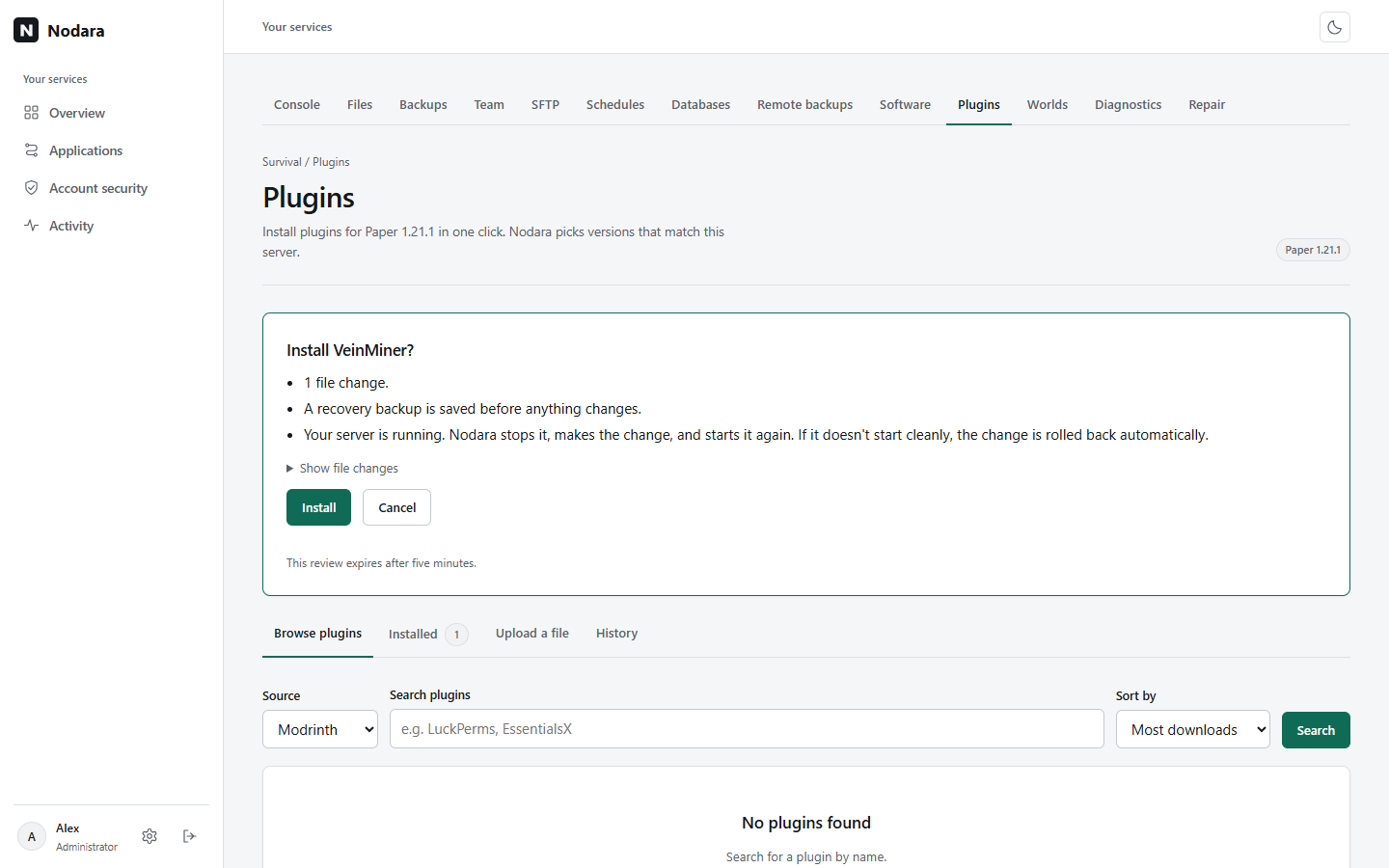
Open the server's Plugins tab (Paper, Purpur) or Mods tab (Fabric, Forge, NeoForge) and choose a source: Modrinth, Hangar (Paper plugins) or CurseForge. Results only include releases for the server's Minecraft version and loader. Install picks the newest compatible release (or choose one under Versions) and adds required dependencies; optional ones are listed, not installed. Mods whose authors only allow downloads on CurseForge, client-only mods and files hosted outside the source are refused with an explanation. Compatible custom JAR uploads are supported under Upload a file; install their dependencies separately.
Every file comes from the source's own CDN and must match a SHA-512 recorded when you review the install (Hangar and CurseForge files are checked against the source's own hash first). Hash checks do not audit third-party code or guarantee a successful start. CurseForge needs the installation owner's own free API key: run sudo nodara-update set-curseforge-key once on the server (the key is read privately and never shown). CurseForge is not offered for Folia, and CurseForge modpacks are not supported: modpacks are Modrinth .mrpack files (see Supported Modrinth packs). Modrinth and Hangar need no key.
Confirming saves a full recovery backup, stops the server if it is running, installs and starts it again. Nodara watches the first start and rolls the change back automatically if the server fails to start. Until that first start succeeds, the next change waits; start the server and let it finish starting, or roll the change back. Retry a failed change with Retry rather than creating duplicates. Known issue: JEI 19.69 for Forge 1.21.1 bundles a library that Forge's module system rejects, so the server fails to start and the change is rolled back; choose JEI 19.64.0.455 under Versions instead. JEI 19.69 works on NeoForge. Local mutation backups are bounded to five slots, 1 GiB and 10,000 entries; larger worlds need a separate strategy and cannot use these managed changes. Removing a modpack and rolling back ask you to type the server's name.
Supported Modrinth packs
Select Complete Modrinth packs and an explicit release, or upload .mrpack. Only Minecraft modrinth.index.json formatVersion 1 with a catalogued Fabric, Forge or NeoForge loader is supported. A server whose loader is the pinned build or a newer one in the same line runs the pack (Forge and NeoForge: same major.minor, for example 21.1.x; Fabric Loader: any newer build), so packs pinned to an older build install without a runtime change. If no compatible build is on the server, preview links Software setup; complete the recoverable runtime change, then review/upload the pack again. Quilt, CurseForge packs, unknown dependency keys and uncatalogued builds reject. A configuration file the server already has, such as the config/fml.toml and config/neoforge-*.toml files Forge and NeoForge write on first start, is kept as it is: review lists it under Your existing configuration is kept and the pack does not overwrite it. Pack JARs must be ones the server's loader loads: a mods.toml or neoforge.mods.toml, or for Forge and NeoForge a library (FMLModType: LIBRARY) or jar-in-jar container. Review downloads and checks every pack JAR and names one it refuses (for example a Fabric mod in a NeoForge pack) before anything is stopped. Packs made for players (for example FPS packs) often include client-only mods that stop a server from starting; Nodara then rolls the pack back automatically.
- Only HTTPS
cdn.modrinth.comandraw.githubusercontent.comassets with supported bounded redirects. Other hosts reject unless a supported candidate is supplied; signed/query URLs, custom ports and unsafe redirects are unsupported. - Allowed paths: direct
mods/*.jar, nestedconfig/,defaultconfigs/,resources/,resourcepacks/, andoptions.txt. Worlds, server properties, launchers/startup scripts and executable overrides outsidemods/reject. - Client-only files and client overrides are omitted. Supported server-optional files are included and disclosed. Common overrides precede server overrides. All selected supported files must stage successfully; a missing file does not produce a successful partial pack.
- Limits: 256 MiB per pack archive and per file, 32 MiB per mod JAR, 256 installed server files, 512 MiB total server content. ZIP limits include 2,048 entries, 1 MiB central directory/index, 512 MiB expanded content, bounded compression and no ZIP64, multipart or encrypted entries. Private staging is limited to 16 imports / 512 MiB per service.
Protect configurations and worlds
Preview every path. Unsafe paths, links, collisions, bad hashes and unrelated overwrites reject. Existing customer configuration is preserved on every update; there is no automatic merge or force-replace. Removed pack configuration remains as unmanaged customer files. Deleted managed configs remain deleted until ownership is released; reinstall may need a deliberate manual review/move.
Content rollback restores changed managed files while retaining unrelated world/user files and configurations changed or deleted after publication. Read retained-path/deletion results; do not assume all settings reverted. Runtime rollback has a broader world boundary as described above. Keep independent world/database backups and verify startup/gameplay before inviting users.