Minecraft · Owner-controlled recovery
Restore your game installation.
Availability: implemented on feature/game-server-repair, merged; awaiting a release. This feature is not part of v0.4.0-alpha.1. The operator-authorized unpublished development candidate includes it on the shared pilot as of 14 October 2026; this is not a production release. Phases 1–3 remain complete; Phase 4 remains in progress.
Game repair restores an installation you explicitly saved after testing it. It does not guess which mods you intended to install or diagnose whether their combination is compatible. Host installation repair restores Nodara itself; this page covers the Minecraft service's runtime and selected installation inputs.
1. Install compatible components
After receiving private repository access, follow the installation guide and release upgrade instructions. Wait for a reviewed release containing game repair. Update the panel, worker and every affected agent together; apply migration 0012_serverrepair through the normal deployment process. Keep database, node-state and Docker-volume backups.
An installation with Nodara host-maintenance helpers also needs explicit helper commissioning. Ordinary application upgrades do not replace this independent helper. From a clean, root-owned checkout of the reviewed release, with the existing updater bootstrapped, run:
sudo /opt/nodara/.venv/bin/python -m scripts.commission_updates upgrade-helperRun the command from that checkout's root directory. Retain the printed operation UUID. It verifies and updates both maintenance helpers, journals their originals, reconciles the host recovery baseline and publishes capability game_repair_protocol: 1. It preserves repository credentials and the independent Python runtime. Missing or mismatched capabilities block game repair; do not manually manufacture the marker or loosen permissions. A separate game node without Nodara host-maintenance installation does not need an updater added just for this feature.
If commissioning is interrupted, use the same reviewed checkout and original UUID:
sudo /opt/nodara/.venv/bin/python -m scripts.commission_updates recover-helper OPERATION_UUIDResolve existing host or game recovery operations before commissioning. Keep the SSH session independent of the panel. Do not delete journals to clear a block.
2. Validate, stop and save the working installation
- Start the game and test the intended setup. Check startup, required mods/plugins and gameplay yourself.
- Stop the service normally. Disconnect all SFTP clients and finish uploads or other queued operations.
- As the server owner or an administrator, open the server's Repair tab. Delegated team access does not grant repair permissions.
- Under Save working installation, select any supported configuration you want restored exactly. JARs directly inside
mods/andplugins/, including.jar.disabled, are included automatically, whether installed manually through Files/SFTP or through Nodara. - Select Review baseline capture. Review the recorded paths, type the exact server name, confirm that you tested the setup, then select Confirm and queue.
- Refresh until the operation says Working installation saved. A queued job alone is not a completed baseline.
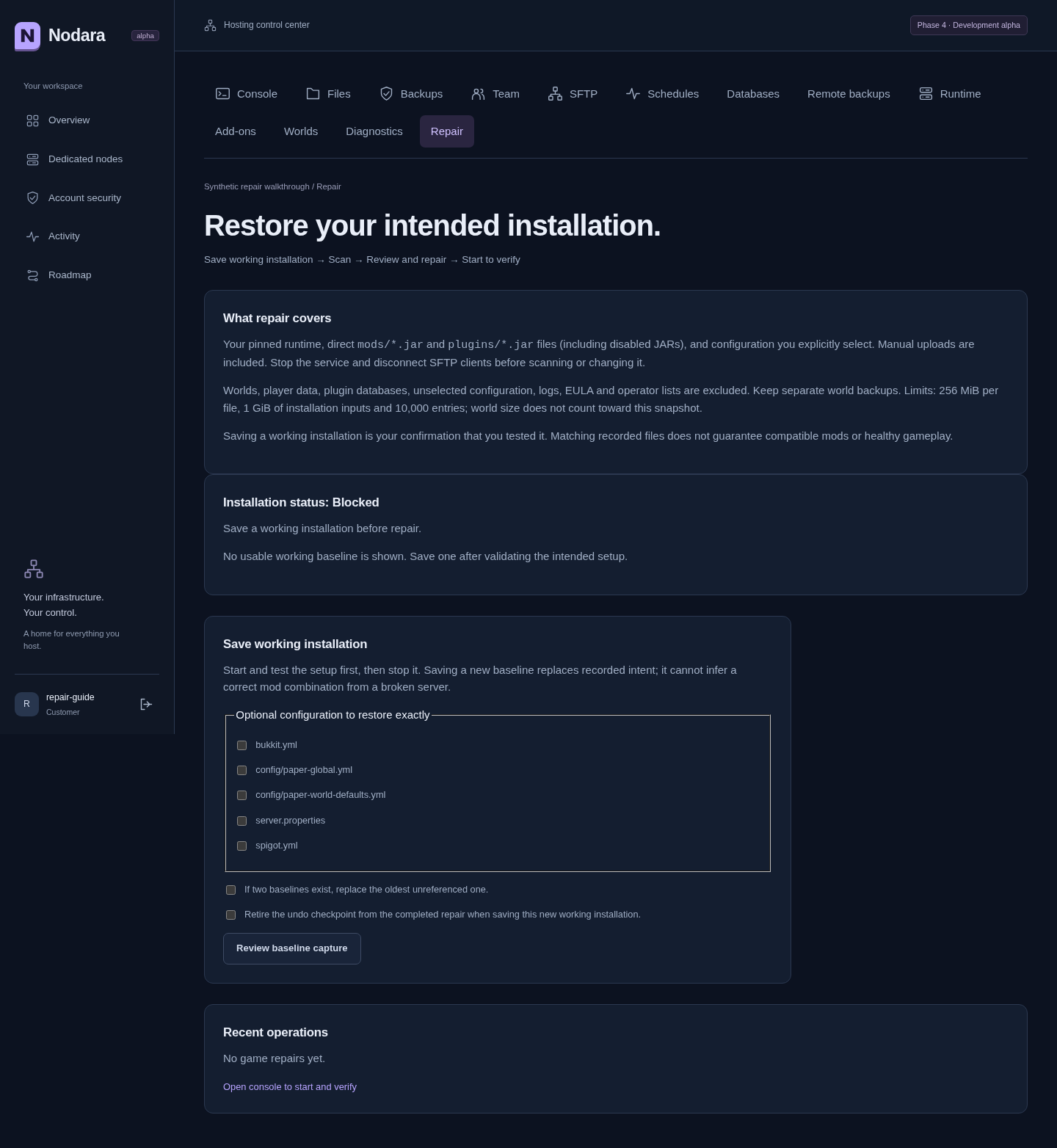
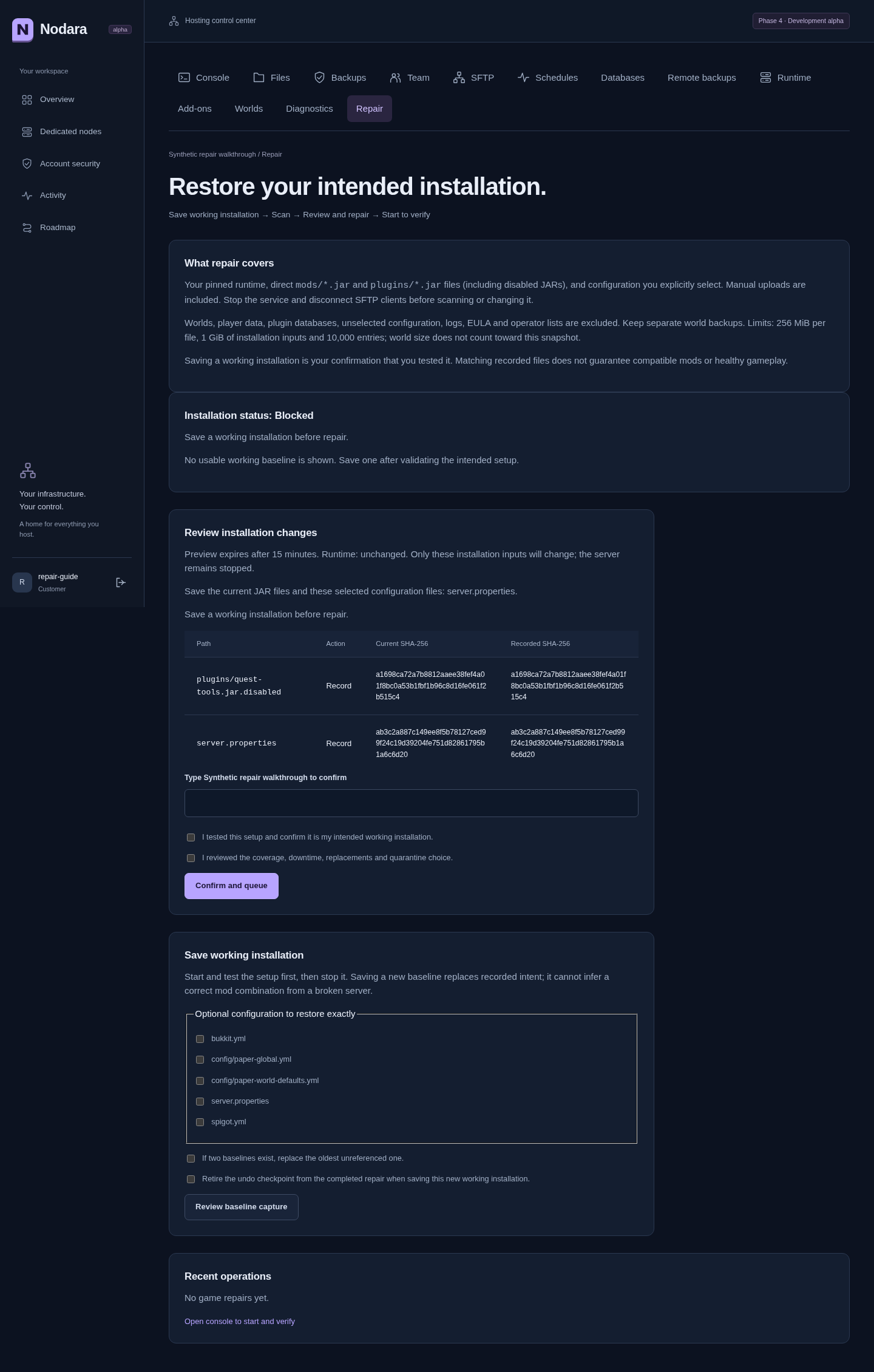
Two baselines are retained. A third capture requires explicit replacement of the oldest unreferenced baseline. After a completed repair, saving an intentional new setup also requires Retire the undo checkpoint from the completed repair. The capture review states that undo will be retired; it is retired only when the new baseline commits. Pending operations cannot be retired this way. An intentional runtime or managed add-on change requires a newly validated baseline, even if its container later disappears; repair must not silently revert a new installation choice.
3. Scan damage and review the repair
Stop the game and disconnect transfers again. Open Repair → Scan and repair. Select Quarantine the extra JARs only if you want the previewed new JARs removed from the live installation and retained in protected recovery storage. Without that choice, extra JARs stay in place and remain unresolved.
If a completed repair already has an undo checkpoint, either review its undo first or explicitly select Retire the previous completed undo checkpoint before scanning for another repair. The review states that the previous checkpoint will be replaced. It remains protected if the new repair rolls back; a successful new repair provides undo for its own changes.
Select Scan installation. Review each replacement, missing file and quarantine entry, plus the runtime action. Selected configuration is restored byte-for-byte, including any secrets it contains; the preview shows paths and hashes, not contents or environment values. A missing owned game container can be recreated with the retained exact image and recorded settings. Repair never pulls an alternative runtime version.
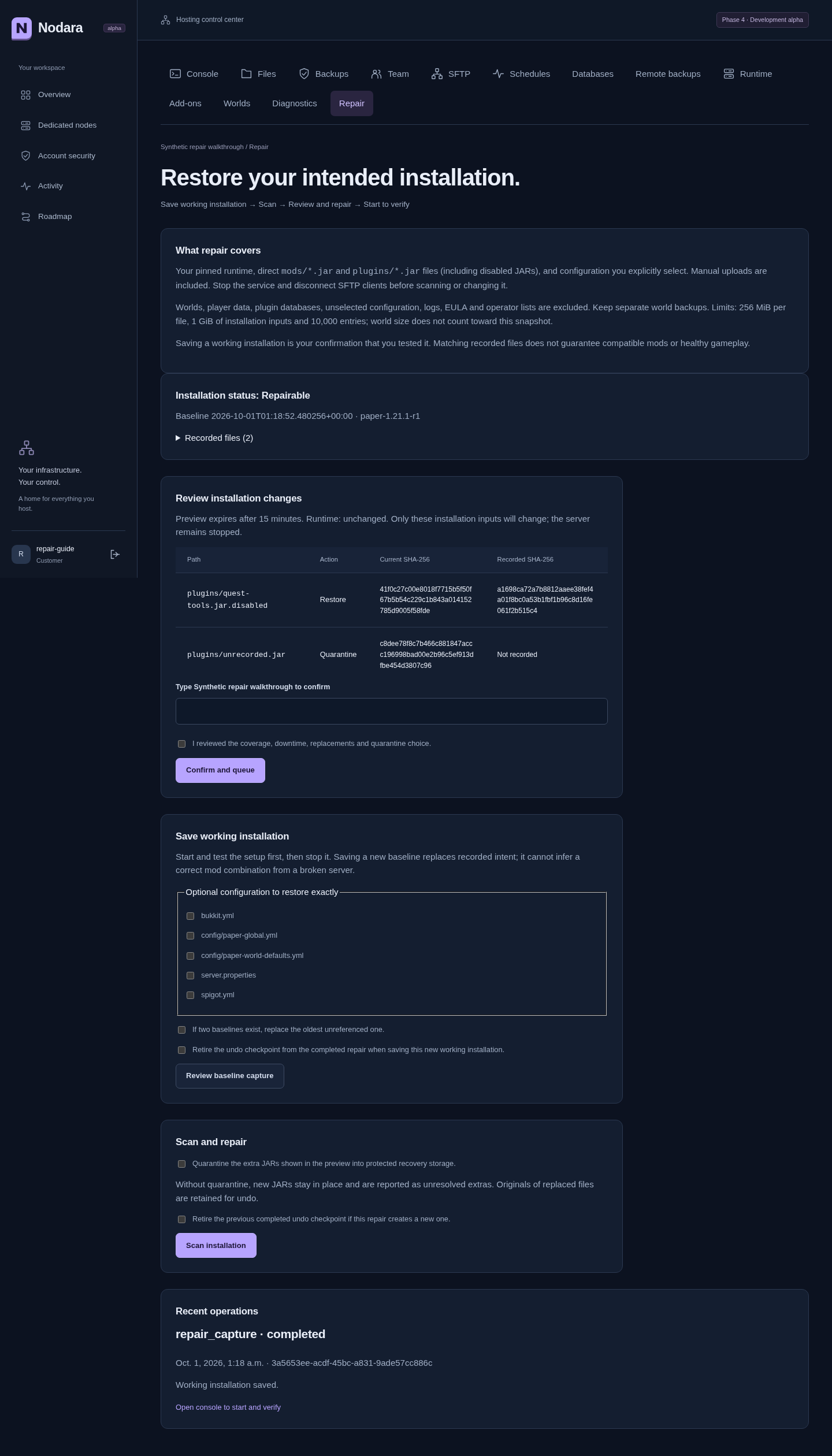
Type the exact server name, acknowledge downtime, replacements and quarantine, then select Confirm and queue. The signed preview expires after 15 minutes and is checked again before execution. If files or intent change, scan again instead of reusing a stale confirmation. The server stays stopped throughout repair.
4. Inspect completion, then start and verify
Refresh the Repair page after the worker finishes. Installation restored — start to verify means the recorded covered inputs were restored and verified. Recorded inputs restored; extra JARs remain unresolved means the new JARs were left in place; review them before startup.
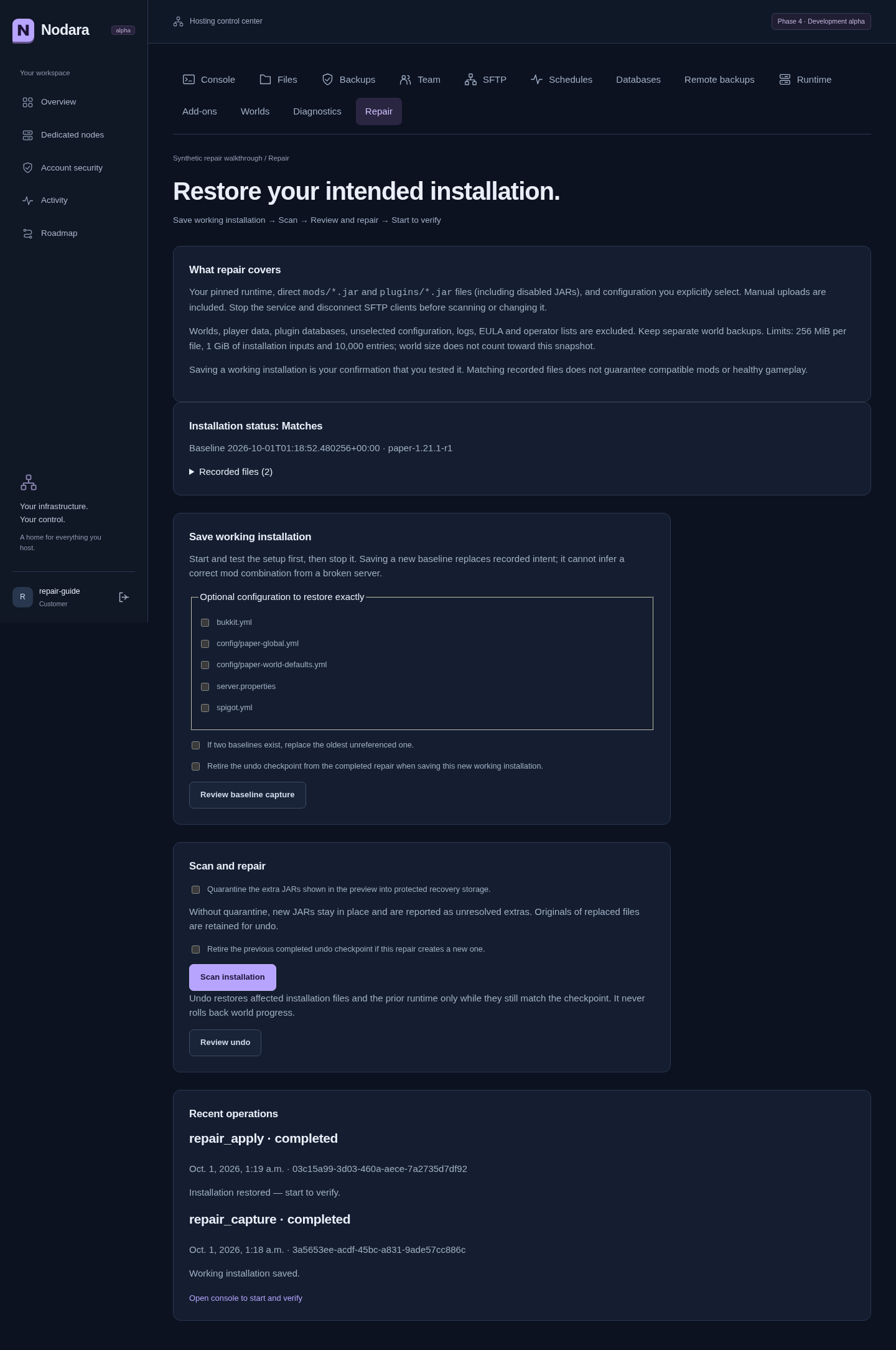
Open Console, start the server normally and check fresh startup logs and gameplay. Matching saved bytes does not prove that mods are mutually compatible. Repair does not automatically start a game or accept an EULA.
5. Recover an interruption or undo a completed repair
An interrupted worker or node operation retains its original UUID. Refresh first; if the operation is failed, use Recover repair, type the server name and confirm. Recovery reconciles that same operation. Before commit it restores the pre-repair state; after commit it finishes the recorded repair. A request rejected before node admission is safely retired without changing game inputs, allowing a new scan. Recovered the pre-repair state is not a successful repair. Inspect the result and scan again as appropriate.
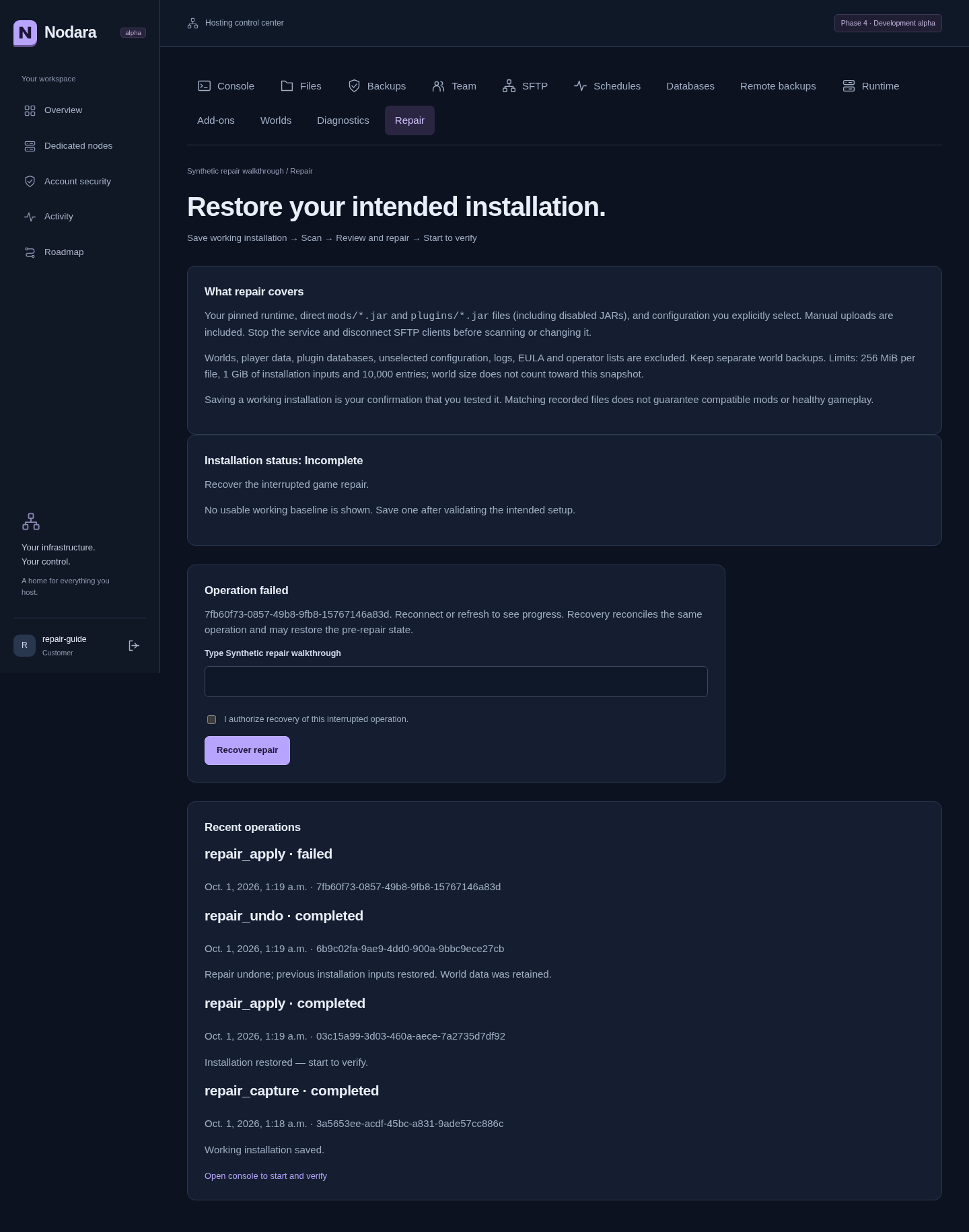
Use Review undo to inspect reversal of a completed repair. Undo restores only affected installation files and the prior runtime while they still match the checkpoint. Stop the game and disconnect transfers first. Later edits or a saved configuration pointing to a missing/unsafe world block undo; do not remove those edits or journals blindly. An operator must inspect the conflicting path and recovery evidence. To adopt a tested new installation instead, explicitly retire the completed undo checkpoint during baseline capture. World progress is never rolled back by game repair.
Coverage and limits
| Included | Excluded |
|---|---|
| Supported pinned Vanilla, Paper and Fabric profiles; exact retained image, ports, limits and runtime settings | Unknown/custom runtimes, arbitrary Docker changes, image downloads or version upgrades |
Direct mods/*.jar, plugins/*.jar and .jar.disabled files, case-insensitive suffix | Nested JARs, arbitrary extensions, plugin data/directories and databases |
Explicitly selected server.properties, bukkit.yml, spigot.yml, config/paper-global.yml, config/paper-world-defaults.yml | Unselected configuration, world contents, player data, logs, EULA, operator/allow lists |
Installation input limits are 256 MiB per file, 1 GiB total and 10,000 entries. World size does not count toward the installation snapshot. Unsafe paths, symlinks/hardlinks, case collisions, unsupported ownership/permissions, unavailable space and inconsistent recovery material block changes. Protect the node backup volume and repair-state directories as credentials: selected configurations and private runtime specifications may contain secrets. Never publish those files as support evidence.
Keep separate world/database backups. A baseline captured from an already broken installation records that broken state. No baseline means there is no trustworthy automatic reconstruction of missing mod files. Repair is an explicit owner-triggered workflow, not an unattended watchdog.
Troubleshooting
| Message or situation | Next step |
|---|---|
| No baseline | Validate a working installation and save it; restore missing original inputs from your own backups first. |
| Server running, active transfer or competing job | Stop normally, disconnect SFTP and finish/recover the existing operation. |
| Preview expired or installation changed | Scan again and review the new result. |
| Runtime/catalog intent changed | Validate the intentional new setup and capture a new baseline. |
| Exact image missing or unsupported runtime | Ask the node operator to restore the recorded image or resolve unsupported settings; repair will not substitute a tag. |
| Host helper incompatible | Complete reviewed helper commissioning before using game repair. |
| Undo/recovery blocked by later edits | Preserve all copies and journals; have the operator inspect the conflict. |
| Files match but startup still fails | Use Diagnostics and Console; investigate mod compatibility or excluded data and backups. |
Verification evidence
Captured 1 October 2026, screenshot revision 99c3dc5. The five screenshots above and the mobile capture are from disposable synthetic fixtures with temporary accounts; they are not customer installations. The browser exercise ran Chromium through Django, the worker, agent and Docker: baseline capture, file drift, quarantine, repair, undo, interrupted-operation recovery, denied delegated access and mobile/keyboard checks.
Synthetic Docker acceptance passed for Vanilla, Paper and Fabric, including a missing game container and preservation of a world file larger than 1 GiB, player data, plugin data and unselected configuration. Actual coordinator process exits at preparation, runtime staging, file publication and commit all recovered with the expected before/after state. Separately, disposable real Vanilla 1.21.1 reached readiness before damage and again after repair, with world bytes checked before the new startup. This verifies startup recovery, not gameplay, load or every mod combination. Paper/Fabric evidence here is synthetic.
Reproduce only on a disposable Linux Docker host:
python -m scripts.game_repair_acceptance --synthetic
python -m scripts.game_repair_browser
# Only after accepting https://www.minecraft.net/eula:
NODARA_ACCEPT_MINECRAFT_EULA=1 python -m scripts.game_repair_acceptance --minecraft
The Linux/Docker and Debian/Ubuntu VM run passed at 481b3db, including independent helper commissioning, game-repair upgrade blocking, five interrupted upgrade/recovery boundaries and reboot. Synthetic Docker and real Vanilla startup evidence above also ran at that revision. The subsequent explicit second-repair checkpoint acknowledgement in 99c3dc5 passed its focused regression and refreshed browser walkthrough. The game-repair workflow is retained for future releases; consult each release's actual run result.